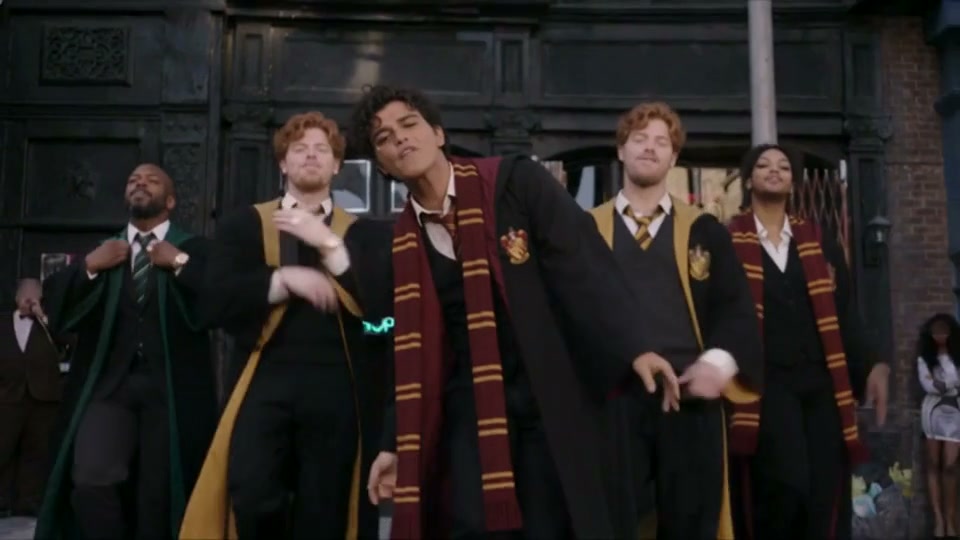
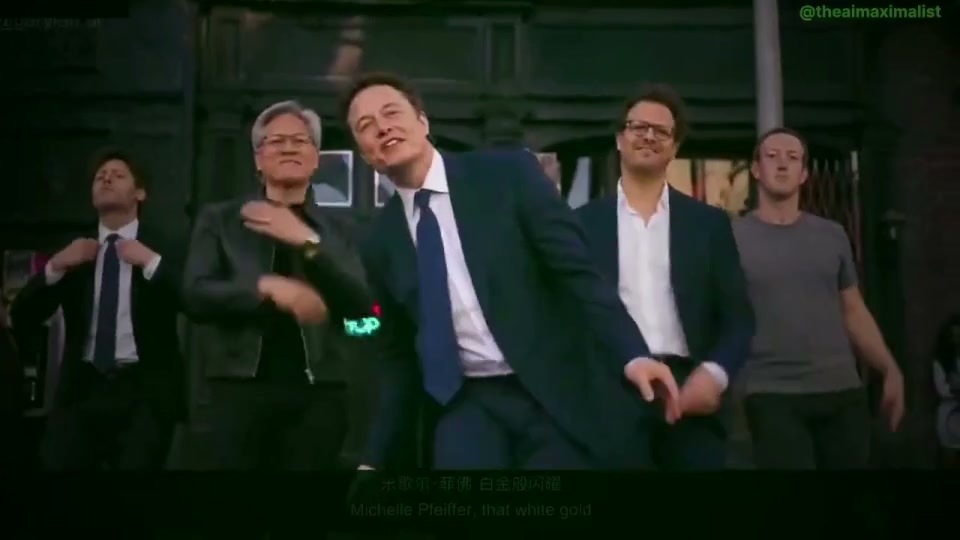
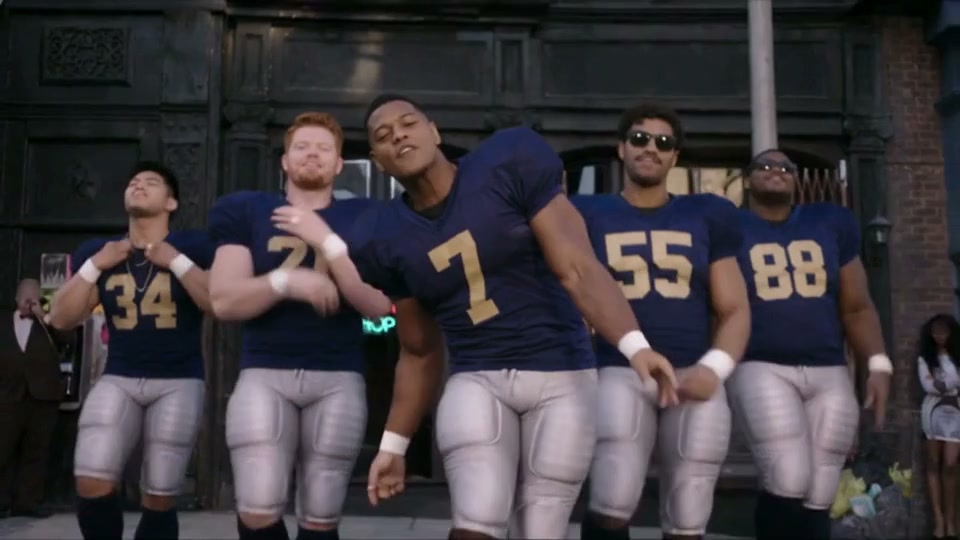
 Uptown Funk AI
Genjutsu 物体替换
结合原视频与参考图替换指定角色、服装或产品,对照原片检查目标变化和周围画面。
上传一段原视频与 1–8 张参考图,替换指定角色、服装或产品。原片每帧至少为 409,600 像素。可在视频卡片选择 4–30 秒片段;未选择时使用前 30 秒。
生成服务尚未开放。你可以浏览案例、准备参考素材并保存草稿。
Genjutsu 工作流案例
一个镜头,新的视觉主角。
以原场景为依据,改变镜头里的指定主体。
Uptown Funk MV 参考:CEO 视频来自 The SI Maximalist;巫师与橄榄球队员版由本项目使用 Seedance 2.5 生成。这些示例对应专用 MV 工作区。
指定对象,让替换关系一目了然
把原片、参考、方向与检查,串成一个工作流。
找到原片中的替换对象
选择目标清楚的 4–30 秒镜头。本例先认清原片人物与她的服装。
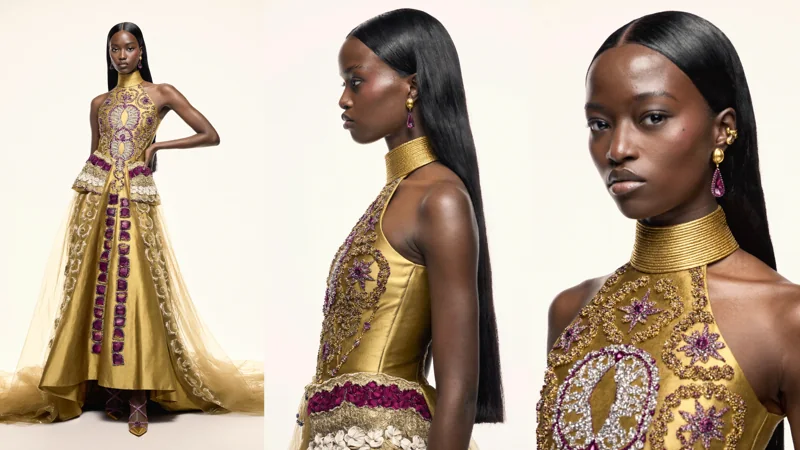
提供替换后的形象
为新角色、服装或产品提供清晰参考,多张图保持顺序。
说明替换目标
让指定主体对应参考图,说明需要改变什么。
报价、生成、对比
选择 480p、720p 或 1080p,检查积分报价,再生成并检查结果。
明确的目标,对应的参考。
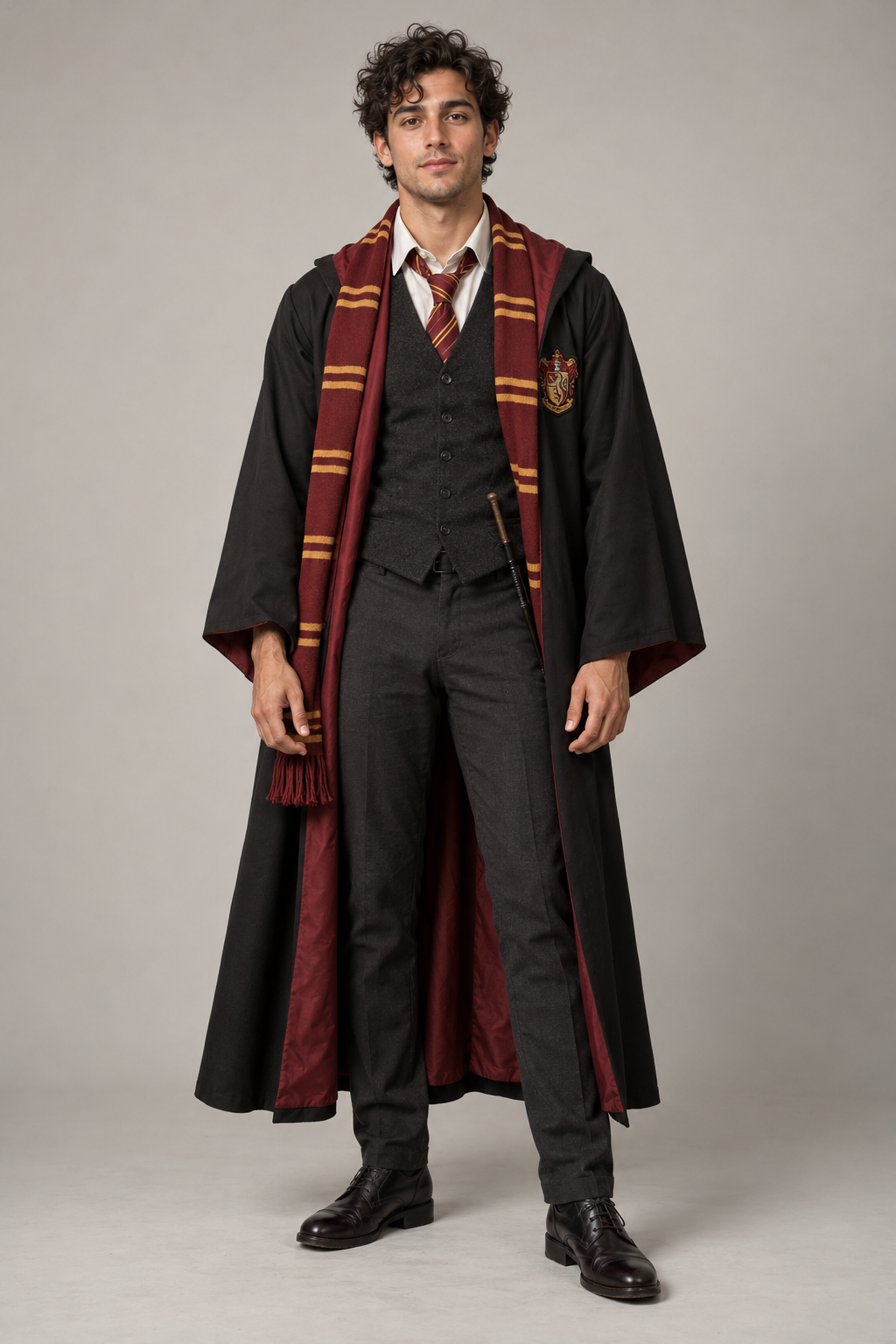
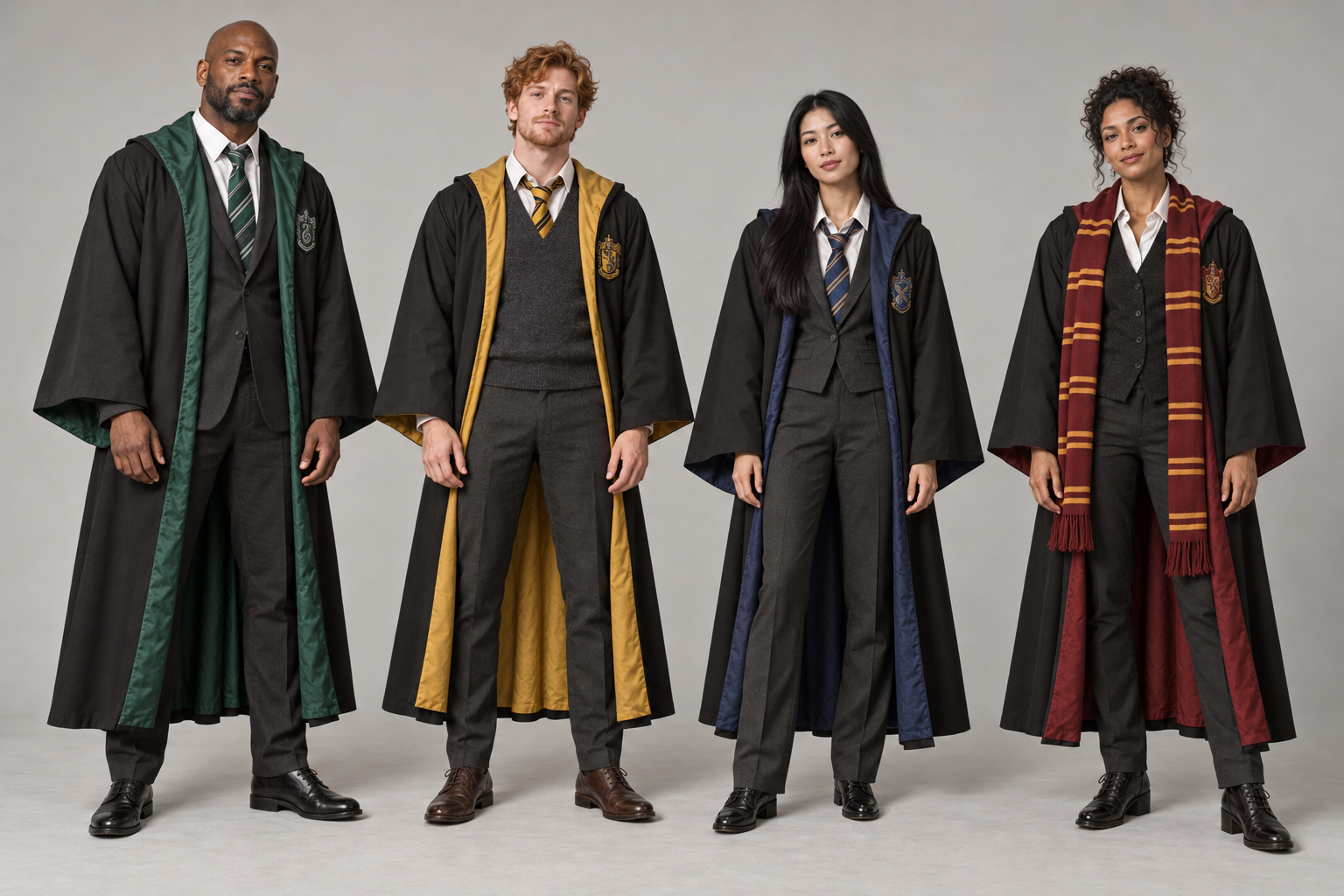
Edit @Video1, preserving the exact existing shot sequence, cut timestamps, total duration, camera framing and movement, street set, storefronts, lamppost and blue car. Recast all FIVE main dancing performers as complete people, including face, hair, skin, body proportions, clothing and accessories. Use @Image1 for the central foreground lead, originally wearing a white fedora and pink blazer. Use the FOUR distinct adults in @Image2 as the four existing supporting dancers; assign them left to right in the first wide ensemble shot, skipping the lead. Keep each assignment consistent through every close-up, cut, occlusion and reappearance. Replace original hats, jackets and trousers completely with the reference wardrobes. The supplied images define casting and wardrobe; the video defines choreography, footwork, body positions, head turns, hand gestures, lip-opening rhythm, blocking and timing. Preserve every original action and shot boundary without adding an introduction, finale, new camera movement or extra performers. Fill all source face blurs with clear natural replacement faces. Keep identities, outfits, hands, feet and anatomy temporally coherent. Do not show the studio photo backgrounds, reference boards, still-photo inserts, captions, text, logos or watermarks. Keep the original street background and lighting. No sound. Cast direction: Theme: a group of five ADULT Hogwarts wizard alumni performing Uptown Funk in the original street. Lead is the original adult man in @Image1, wearing flowing black wizard robes with burgundy lining, red-and-gold house scarf/tie, white shirt, charcoal waistcoat and trousers, black shoes. Supporting adults in @Image2 are, left to right, green/silver house robes, yellow/black house robes, blue/bronze house robes and red/gold house robes. These four are separate existing dancers, not one extra guest. Reproduce their distinct faces and whole outfits. Scarves and robes move naturally with the original dance. Hands remain free, any wand stays tucked at the belt. Keep mouths unobstructed. No magical effects or changed scenery. All five main performers must visibly wear wizard robes, including in the group wide shots.
复用输入不收费,只有在工作区提交后才开始生成。
选定目标,探索另一种形象。
先查看真实案例的输入,再加载到工作区。
在案例库发现更多角色、服装、场景与产品工作流。
探索案例库Uptown Funk AI 创作指南
本站原创步骤说明,帮助你准备输入、检查案例并理解任务状态。
开始创作之前
了解输入、复用与检查中的几个实际问题。
01应该准备哪些输入?
动作迁移与物体替换需要一段原视频和 1–8 张参考图;Restyle 使用一段视频、一种风格与 0–5 张可选角色图。选取 4–30 秒片段;未选取时最多使用前 30 秒。画幅跟随准备后的原片,Restyle 的帧数与节奏可能变化。物体替换要求原片每帧至少包含 409,600 像素。
02必须写提示词吗?
两种模式都接受空提示词。需要更明确的变化时,说明目标及每张有序参考图的作用。无提示词案例会加载空提示词和对应原始输入。
03“使用此提示词”会加载什么?
完整原视频、有序参考图、提示词和对应模式,兼容的当前设置会保留。加载输入不会开始生成或扣积分;检查草稿后,再单独提交。
04目标之外的画面会完全相同吗?
物体替换会引导目标周围场景保持一致,但不保证逐像素相同。请贯穿整段检查边缘、遮挡、光线、接触关系和背景。
05怎样确认费用?
准备后的源片时长向上取整到整秒,再按所选分辨率计费。提交前检查工作区积分报价,每次新生成独立报价与结算。